Is MyPrepaidCenter Legit? Real Review, Complaints & Card Declined Fix Guide
Many people search for MyPrepaidCenter after receiving a prepaid reward card, rebate card, or digital payment notice. Some users want to know if the platform is real. Others need help after a declined card, a login issue, or a missing balance. The short answer is simple. MyPrepaidCenter appears to be a legitimate prepaid reward card portal used by brands and payout programs. It is commonly linked with Blackhawk Network and participating partners.
However, legitimacy and user satisfaction are not the same thing. Some users report delays, activation trouble, declined purchases, or support frustration.
This guide explains how it works, common complaints, card decline fixes, safety tips, and whether it is worth using in 2026.
Is MyPrepaidCenter Legit or a Scam?
MyPrepaidCenter appears to be a real prepaid card portal, not a fake website. Many users receive genuine reward cards, rebates, employee incentives, and promotional payouts through the platform.
That said, public complaints show that some users experience:
- card declines
- balance confusion
- activation delays
- login issues
- slow support responses
A service can be legitimate while still creating poor user experiences. That is the most accurate way to view MyPrepaidCenter. Users can also check Trustpilot reviews for MyPrepaidCenter for public feedback.
What Is MyPrepaidCenter and How Does It Work?
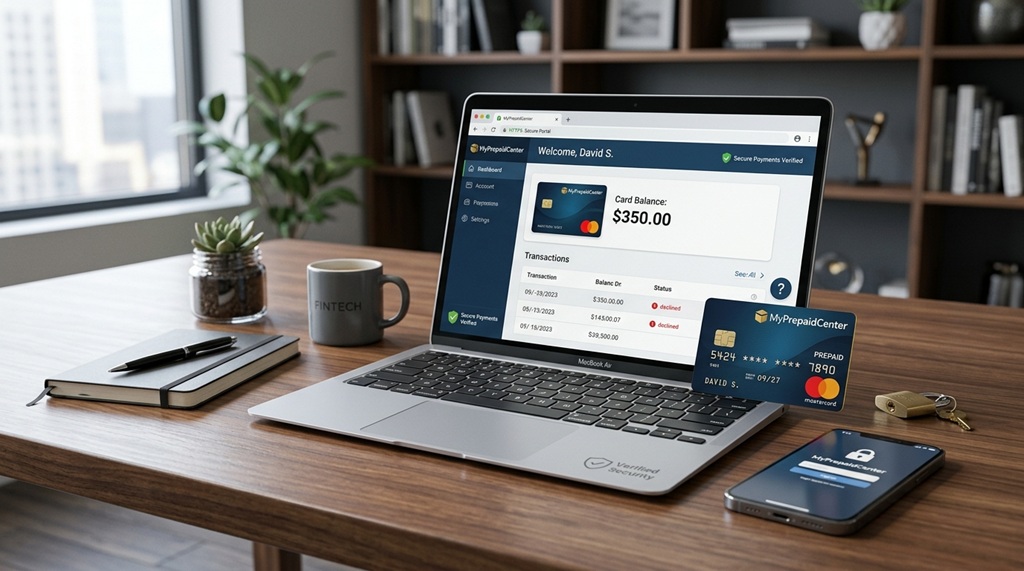
MyPrepaidCenter is an online portal that helps users access prepaid reward payments. Companies often use it to send rebates, promotions, employee rewards, survey incentives, insurance reimbursements, and customer appreciation payouts.
Instead of mailing a check, some programs issue a prepaid card or digital reward code. Users then visit the portal to activate the card, check their balance, and manage eligible account details.
Common features may include:
- Activate a prepaid reward card
- Check available balance
- View transaction history
- Access virtual card details
- Replace eligible expired cards
- Review card terms and limits
- Find support options
Many users never sign up directly for the official MyPrepaidCenter website. They receive access because a company chose it as the payout provider.
How the Process Usually Works
Most programs follow a simple flow:
- A company approves your reward, rebate, or incentive
- A prepaid card or digital code is issued
- You activate the card through the portal
- You spend the funds where accepted
- You monitor the balance until funds are used
- Why It Confuses Some Users
Confusion usually happens because the user knows the brand that sent the reward, but not the payout company behind it. For example, someone expects a rebate from a retailer but receives a MyPrepaidCenter email instead. That can look suspicious at first glance.
MyPrepaidCenter is usually the delivery system for funds, not the original company that owes you the reward. Understanding that difference helps explain why many users receive a card unexpectedly.
Who Owns MyPrepaidCenter?
MyPrepaidCenter is commonly associated with Blackhawk Network, a payment technology company that works with gift cards, branded payments, rewards, incentives, and prepaid payout programs.
Blackhawk Network works with businesses, retailers, employers, and organizations that need a secure way to distribute funds. Instead of sending paper checks or handling direct cash payouts, companies may use prepaid card systems and digital reward platforms.
That is why MyPrepaidCenter often appears in connection with:
- promotional rebates
- cashback campaigns
- employee recognition rewards
- research survey payouts
- customer loyalty incentives
- claim or reimbursement payments
- Why Ownership Matters
Many users search “Is MyPrepaidCenter legit?” because they do not recognize the brand name. They may trust the company that sent the reward, but not the payment portal. Knowing that the platform is linked to an established payment provider helps reduce confusion.
Is MyPrepaidCenter a Bank?
No. MyPrepaidCenter is generally a reward and prepaid card access portal. It is not a traditional bank account service.
That means users should expect prepaid card rules rather than full banking features.
Examples:
- limited merchant acceptance on some cards
- expiration dates on some programs
- no credit line
- No direct checking account features
- program-specific terms and fees
Why Users Still Face Problems
Even legitimate payout systems can create friction when:
- reward terms are unclear
- Card restrictions are hidden in fine print
- Merchants reject prepaid cards
- Support is slow
- Balances are misunderstood
MyPrepaidCenter appears to function as a payout platform tied to Blackhawk Network and related reward programs. It is better viewed as a payment delivery tool than a consumer banking service.
Why Did I Receive a MyPrepaidCenter Card?
Many people feel confused when they receive a MyPrepaidCenter email, prepaid card, or reward notice without remembering any direct signup. In many cases, there is a normal reason.
MyPrepaidCenter is often used as a payout platform. The company or brand that promised your reward may use a third-party processor to send the money.
Common Reasons You May Receive One
You may receive a MyPrepaidCenter card for:
- product rebate offers
- cashback promotions
- survey rewards
- employee incentive programs
- customer loyalty rewards
- insurance reimbursements
- settlement or claim payments
- referral bonuses
- service apology credits
Why the Name Feels Unfamiliar
Many users expect to see the original brand name. Instead, they see MyPrepaidCenter as the payment provider. That often leads people to search for whether the message is real.
Example:
You buy a product that offers a $50 rebate. After approval, the payout may arrive through MyPrepaidCenter instead of the manufacturer’s own system.
When You Should Be Careful
Scammers sometimes imitate known payment brands. Always verify before clicking links or entering personal details.
Check these signs:
- Sender’s email appears official
- reward matches something you expected
- spelling and branding look normal
- no urgent threats or fake deadlines
- links lead to the official portalThe
- reward amount matches your claim
If You Expected Nothing
Use caution if you have never joined a rebate, survey, or reward program. Instead of using the email link, visit the official website directly and confirm whether any payment exists.
Receiving a MyPrepaidCenter card does not automatically mean fraud. In many cases, it is simply the payment method another company uses to send valid reward funds.
How To Activate a MyPrepaidCenter Card
Activation is usually simple, but the exact steps can vary by card program, issuer, or reward type. Some users receive a physical prepaid card, while others receive a digital code or virtual card notice.
Standard Activation Process
Most users follow these steps:
Step 1: Visit the Official Portal
Use only the website printed on the card, packaging, or official reward email. Avoid random links from text messages or suspicious emails.
Step 2: Enter Card Details
You may need to enter:
- card number
- security code
- reward code
- activation code
- last four digits in some cases
Enter the details exactly as shown.
Step 3: Complete Identity Verification
Some programs ask for a basic security check. This may include email verification, ZIP code confirmation, or other identity steps.
Step 4: Create Login Credentials
Some users need to create:
- email login
- password
- security questions
Store this information safely for future balance checks.
Step 5: Review Available Balance
After activation, confirm the card balance before trying to make a purchase.
Why Activation Sometimes Fails
Users often face activation issues because of:
- typing errors
- expired reward codes
- already activated cards
- browser problems
- verification mismatch
- temporary website issues
Quick Fixes if Activation Does Not Work
Try these solutions:
- Recheck all numbers carefully
- Use another browser
- clear cache and cookies
- Disable VPN if active
- wait and retry later
- Contact support listed on the card
Important Tip
Take a screenshot after successful activation. It can help later if you face login trouble or balance disputes. Activation problems are usually technical or data-entry issues, not proof that the card is fake. Careful entry and using the official portal solves many cases quickly.
Why Is My MyPrepaidCenter Card Declined?
A declined card is one of the most common problems users report. In many cases, the card still has money available. The issue is often a payment rule, merchant restriction, or verification mismatch.
A decline does not always mean the card is broken.
Common Reasons a MyPrepaidCenter Card Gets Declined
Billing ZIP Code Mismatch
Many online stores check billing details before approving payment. If the ZIP code on the order does not match the card profile, the transaction may fail.
Insufficient Balance
Your card may not cover:
- product total
- tax
- shipping fees
- service charges
Even a small shortfall can trigger a decline.
Merchant Does Not Accept Prepaid Cards
Some businesses block prepaid cards, especially for:
- subscriptions
- hotel bookings
- car rentals
- recurring billing
- age-restricted services
Temporary Authorization Hold
Gas stations, hotels, and some retailers may place a higher temporary hold than your purchase amount.
Example:
A $20 fuel purchase may trigger a larger preauthorization amount.
Card Not Activated
Always confirm activation before first use.
Expired Card
Some reward cards expire after a set date.
Fraud Protection Filters
Unusual purchases, location mismatch, or repeated attempts can trigger automatic blocks.
Split Payment Restrictions
Some merchants do not allow partial payments with a prepaid balance.
How To Fix a Declined Card Fast
Try these steps:
- Check your exact balance
- Retry with a smaller purchase
- Confirm billing ZIP code
- Use a normal retail merchant
- avoid hotels or subscriptions
- Wait a few minutes and retry
- Contact support if declines continue
Online Purchase Tip
When shopping online, enter billing details exactly as registered with the card. Small mismatches often cause declines.
Most declines happen because of merchant rules, balance limits, or verification issues. They are usually fixable once you identify the real cause.
MyPrepaidCenter Balance Shows Available, but Card Declined
This is one of the most frustrating issues users report. The balance appears available, yet the purchase still fails. In many cases, the money is there, but the merchant cannot complete authorization.
That means the problem is often not the balance itself.
Common Reasons This Happens
Full Amount Plus Tax Is Required
Some users only check the item price and forget tax, shipping, or service fees. If the total exceeds the balance, the transaction may decline.
Pending Authorization Hold
A previous transaction attempt may place a temporary hold on funds. During that time, the displayed balance and spendable balance may differ.
Billing Verification Failed
Many online stores use AVS (Address Verification System). If your ZIP code or billing details do not match, the card can decline even with available funds.
Merchant Blocks Prepaid Cards
Some merchants reject prepaid cards entirely or restrict certain categories.
Common examples:
- subscriptions
- travel bookings
- rentals
- recurring charges
Partial Payment Not Supported
If your card balance is lower than the total order, some merchants will not allow split payments.
How To Fix It
Try these solutions:
- Check the full order total, including tax
- Retry with an exact smaller purchase
- Confirm billing ZIP code
- Wait for temporary holds to clear
- Try another merchant
- Add the balance to an accepted wallet or store account if allowed
- Contact support if funds stay blocked
Example
Your card shows $25.00.
Your checkout total becomes $25.87 after tax.
The transaction may decline.
Use the card for a small in-store or low-cost online purchase. If it works, the issue is usually merchant-related rather than card-related.
An available balance does not always mean instantly usable funds. Holds, taxes, merchant rules, and billing mismatches are the most common reasons for this issue.
Can You Use MyPrepaidCenter Online?
Often, yes. Many MyPrepaidCenter cards can be used online when the merchant accepts prepaid cards and the card program allows internet purchases.
The exact rules depend on the issuer, network, and reward terms.
Where Online Use Often Works
Users commonly try cards at:
- general retail websites
- clothing stores
- electronics stores
- food delivery apps
- digital marketplaces
- household goods stores
Some cards run on major payment networks such as Visa or Mastercard, which can increase acceptance where those networks are supported.
Why Online Payments Sometimes Fail
Billing Details Do Not Match
Many checkouts require the billing ZIP code or registered address to match the card profile.
Not Enough Balance
Taxes, shipping, tips, or fees can push the total above the card balance.
Merchant Rejects Prepaid Cards
Some merchants block prepaid cards for fraud prevention or recurring billing reasons.
International Restrictions
Some reward cards only work in certain countries or regions.
Card Not Activated
A card must usually be activated first.
Best Way To Use It Online
For better approval chances:
- Use the exact cardholder name if provided
- Enter the matching billing ZIP code
- Confirm enough balance for the full total
- Avoid recurring subscriptions first
- test with a small purchase
- Use trusted merchants only
Can You Add It to Wallets or Accounts?
Some users add prepaid balances to store accounts or digital wallets where supported. Acceptance varies by merchant and card type.
Use only secure checkout pages and trusted websites. Do not enter card details on unknown stores or links sent through unsolicited messages.
Many MyPrepaidCenter cards work online, but success depends on balance, billing match, merchant rules, and the specific card program.
Can You Use MyPrepaidCenter on Amazon?
Sometimes yes. Many users try to use MyPrepaidCenter cards on Amazon either as a direct payment method or by adding the balance to their account.
Results can vary based on the card type, available balance, and billing verification.
Two Common Ways Users Try It
Use the Card at Checkout
You may add a prepaid card like a normal payment card during checkout if the card network is accepted.
Add Funds to Your Account Balance
Some users prefer loading the exact remaining balance into their Amazon gift balance when permitted.
This can be useful when the prepaid card has a small leftover amount.
Why It May Fail
Balance is lower than the total order
Taxes, shipping, or fees can push the final amount above the available balance.
Billing Details Do Not Match
ZIP code or address mismatch may cause verification failure.
Temporary Merchant Verification Block
Some payment attempts trigger additional fraud screening.
Card Restrictions
Some prepaid reward cards may have limits on certain transaction types.
Best Practices for Success
- Confirm the exact available balance
- Update billing ZIP code if required
- test with a smaller purchase
- Use the exact cardholder details shown
- Try adding only the available balance if supported
Example
If your card has $18.42 remaining, adding that exact amount to an account balance may work better than placing a larger order.
If It Still Does Not Work
Try another retailer, use the card in-store where accepted, or contact support for card-specific restrictions.
Many users successfully use MyPrepaidCenter cards on Amazon, but approval depends on balance accuracy, billing match, and the specific prepaid card rules.
Common MyPrepaidCenter Complaints in 2026
Public reviews and user discussions often repeat the same frustrations. These complaints do not automatically prove fraud, but they do highlight common friction points people face.
Understanding these patterns can help users avoid surprises.
Most Reported Complaints
Login Problems
Some users report:
- Password reset emails are not arriving
- account lockouts
- Repeated verification prompts
- Login pages are not loading properly
Card Declined Despite Available Balance
This is one of the most searched issues. Users may see money on the card, yet purchases fail because of merchant rules, holds, or billing mismatches.
Balance Confusion
Some users do not realize that:
- Pending holds reduce usable funds
- Taxes affect checkout totals
- Expired cards may need replacement stepsThe
- displayed balance may differ temporarily
Slow Support Response
Complaints sometimes mention long wait times or difficulty reaching the correct department.
Limited Merchant Acceptance
Some reward cards work well at regular retailers, but fail at:
- subscriptions
- hotels
- rentals
- international websites
- recurring billing services
Expired Card Replacement Issues
Users occasionally report trouble replacing an expired card that still has funds attached.
Why Complaints Happen
Many complaints come from unclear program rules rather than from a fake platform.
Examples:
- terms were not read
- Merchant restrictions were unexpected
- users expected bank-card flexibility
- support volume was high
- Technical issues delayed access
What Smart Users Do
Before using the card:
- activate it early
- check balance first
- spend funds promptly
- save screenshots
- Use normal retail merchants first
- Keep support details ready
Balanced View
Every large payment platform receives complaints. The more useful question is whether the issues are common, solvable, and limited to certain use cases.
Most MyPrepaidCenter complaints center on usability, restrictions, and support delays rather than claims that the platform itself is fake.
Is MyPrepaidCenter Safe?
MyPrepaidCenter can be safe when used correctly. It appears to be a legitimate prepaid reward card portal used for rebates, incentives, and payout programs. However, like many finance-related services, scammers may imitate trusted brands.
That means the real risk is often phishing, fake support scams, or careless card handling.
What Makes It Relatively Safe
Many prepaid reward cards offer a basic layer of spending control because only the loaded balance is exposed.
Benefits may include:
- limited funds instead of full bank balance
- separate use from your main debit card
- useful for one-time online purchases
- easy balance monitoring in many cases
Main Risks Users Face
Fake Emails or Text Messages
Scammers may send messages pretending to be MyPrepaidCenter.
Fake Support Numbers
Some fraudsters create fake customer support pages to collect card details.
Public Sharing of Card Information
Posting screenshots or code online can expose funds.
Unsafe Wi-Fi or Devices
Using public networks on unsecured devices increases risk.
Smart Safety Steps
- Use only the official website listed on your card or reward notice
- Type the website manually if unsure
- Avoid clicking random text or email links
- Never share a full card number publicly
- Keep screenshots of balances and transactions
- Use secure internet connections
- Check statements or activity often
Warning Signs of a Scam
Be cautious if a message:
- demands urgent action
- asks for passwords by email
- threatens loss of funds immediately
- contains poor spelling or strange links
- asks you to pay money to receive a reward
Use the prepaid card promptly after activation and keep records until the balance reaches zero. The real MyPrepaidCenter platform can be safe, but users should stay alert for impersonation scams, fake support, and unsafe card use.
How To Contact MyPrepaidCenter Support
Support options can vary based on the card issuer, reward program, and type of prepaid card you received. Many users look for help after a declined transaction, activation issue, login problem, or missing balance.
The fastest option is usually the contact method listed directly on your card or official reward notice. Users can check the MyPrepaidCenter support page for help options.
Where To Check for Support
Look in these places:
- phone number on the back of the card
- help section inside the official portal
- email or contact link in your reward notice
- FAQ or support pages tied to the program issuer
What To Prepare Before Contacting Support
Having details ready can speed up the process.
Keep these nearby:
- last four digits of the card
- email used for registration
- exact error message
- failed purchase date
- failed purchase amount
- merchant name
- screenshots if available
Best Way To Explain the Problem
Be clear and specific.
Example:
“My card shows $50 available, but a $12 purchase was declined at checkout.” That gives support a faster starting point than saying the card does not work.
Common Issues Support May Help With
- activation failure
- login reset help
- declined transactions
- balance questions
- expired card replacement options
- Suspicious Activity Review
- transaction history questions
If Phone Support Is Slow
Try these steps:
- call during non-peak hours
- Use the portal help tools first
- check FAQs
- Keep notes from previous contacts
- Stay consistent with the details each time
Important Safety Reminder
Only use support contacts shown on the official card materials or verified portal. Avoid random numbers found in comments, social media posts, or suspicious websites.
Most support cases move faster when you have your card details, transaction facts, and screenshots ready before contacting MyPrepaidCenter support.
Best Alternatives to MyPrepaidCenter
Some users prefer other payout methods after dealing with card declines, merchant restrictions, or support delays. The best alternative depends on whether you want easier spending, direct cash access, or wider acceptance.
Popular Alternatives
PayPal Reward Payouts
Many users prefer PayPal because funds can often be spent online quickly or transferred where eligible.
Best for:
- online shoppers
- fast digital access
- users familiar with wallets
Direct Bank Transfer (ACH)
Some reward programs offer ACH deposits straight to a bank account.
Best for:
- users who want cash access
- bill payments
- No card acceptance issues
Visa or Mastercard Gift Cards
General prepaid cards on major networks may offer broad merchant acceptance.
Best for:
- in-store shopping
- common online purchases
- flexible spending
Brand-Specific Gift Cards
Some programs offer cards for retailers such as Amazon or other stores.
Best for:
- people who already shop there
- simple redemption
- No billing mismatch issues in many cases
Tremendous Reward Platform
Some businesses use Tremendous to let users choose between gift cards, transfers, or wallet payouts.
Best for:
- users who want payout choice
- modern reward options
Quick Comparison
| Option | Main Advantage | Common Drawback |
|---|---|---|
| MyPrepaidCenter | Easy reward distribution | Card restrictions |
| PayPal | Fast digital use | Account required |
| ACH Transfer | Direct funds access | Not always offered |
| Network Gift Card | Broad acceptance | Program limits |
| Store Gift Card | Simple spending | Limited to one brand |
Which Option Users Prefer Most
Many users prefer direct bank transfer or PayPal because they reduce checkout problems tied to prepaid cards.
MyPrepaidCenter can work well for simple rewards, but users who want smoother access often prefer direct transfer or digital wallet payout options.
FAQs
What are the benefits of using MyPrepaidCenter?
MyPrepaidCenter helps users access reward or rebate funds quickly. It can offer easy balance checks, simple spending control, and no need for a bank account for many programs.
Is it safe to use a prepaid card online?
Yes, prepaid cards can be safe online when used on trusted websites. They reduce risk to your main bank account because only the loaded balance is exposed.
Is prepaid a real credit card?
No. A prepaid card is a payment card, but it is not a traditional credit card. It uses preloaded funds instead of borrowed money, even if it runs on Visa or Mastercard.
Can I get my money back from a prepaid card?
Sometimes yes. Refunds may be possible through merchant returns, fraud disputes, or issuer support, depending on the card program and terms.
Is a prepaid card safe to use?
Yes, prepaid cards are generally safe to use because they limit spending to the loaded balance and do not expose your main bank account. Use trusted websites and monitor transactions.
How does MyPrepaidCenter work?
MyPrepaidCenter is a portal where users activate eligible prepaid reward cards, redeem codes, check balances, and view transactions for supported programs.
Where can I use MyPrepaidCenter?
You use the prepaid card received through MyPrepaidCenter anywhere the card network is accepted, subject to the card’s terms. Some cards are online-only or merchant-restricted.
Can I use MyPrepaidCenter online?
Yes, many MyPrepaidCenter cards can be used online if the merchant accepts prepaid cards and your billing details match the card information.
Final Thoughts
MyPrepaidCenter appears to be a legitimate prepaid reward card platform that many companies use for rebates, promotions, incentives, and payout programs. Many users receive valid cards and use their funds successfully. The main concern is usually not whether the platform is real, but how smooth the experience feels. Some users report easy activation and normal purchases, while others face declined transactions, balance confusion, merchant limits, or slow support responses.
MyPrepaidCenter may work well if you need to use a one-time reward card and plan to shop with standard retailers. It may feel less convenient for users who expect bank-like flexibility or instant customer service. The best approach is to activate the card early, check your balance before spending, use trusted merchants, and keep records of transactions. Overall, it appears legitimate, but the user experience can vary.

Sadia Parveen is a content writer at ClassAction24.com who creates informational articles on class action lawsuits, consumer protection matters, and legal developments. Her work focuses on researching publicly available information and presenting it in a clear and neutral format for general readers. She does not provide legal advice or professional legal services.